Hogwarts House Sorting Hat Describtion

Description
I designed my first project based on the impressive Sorting Hat from the Harry Potter movies. People wear it, and it flashes the colors representing the different schools, and then randomly assigns you to one. House of Gryffindor in red, Ravenclaw in blue, Hufflepuff in yellow and Slytherin in green.
Introduction of my initial project idea
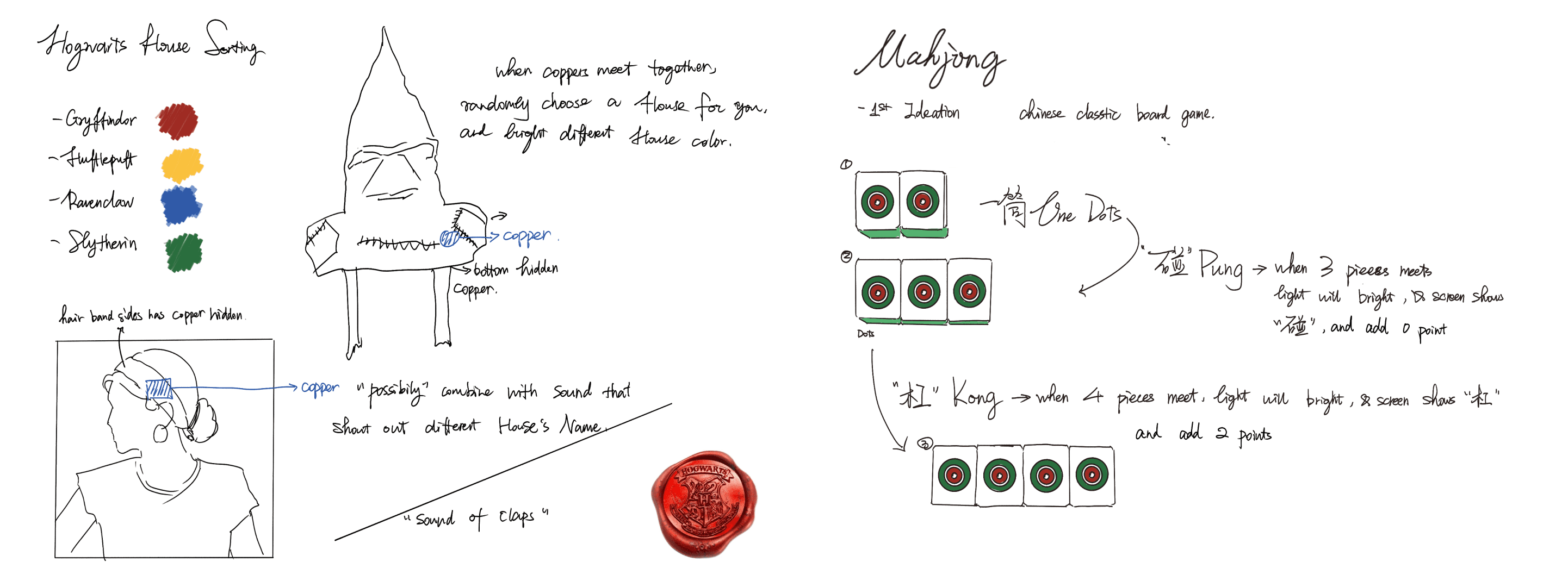
Here is my first two ideation of sketch:
This project involves creating an interactive Harry Potter Sorting Hat using an M5Stack development board, RGB LEDs, and copper plates as sensors. When the circuit is completed (by touching two copper plates), the hat begins a sequence of flashing colors representing Hogwarts houses: Gryffindor (red), Ravenclaw (blue), Hufflepuff (yellow), and Slytherin (green). After the flashing, a random house is selected, and the corresponding color lights up. The program announces the house, completing the magical sorting experience.
Test Copper
After connecting to the M5, I first tested to see if the code for my copper's connection worked.
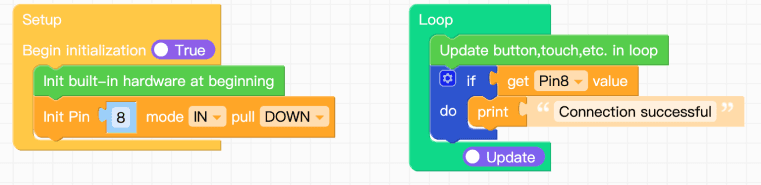
Figure out where my copper should place
Then I had to decide where I should put the copper, but because the hat is so soft, the first and second places I looked were both a clip on the brim, and after putting the hat back on, there was compression, and the two copper overlapped. Unfortunately, because the hat is soft, the chances of success are not high.
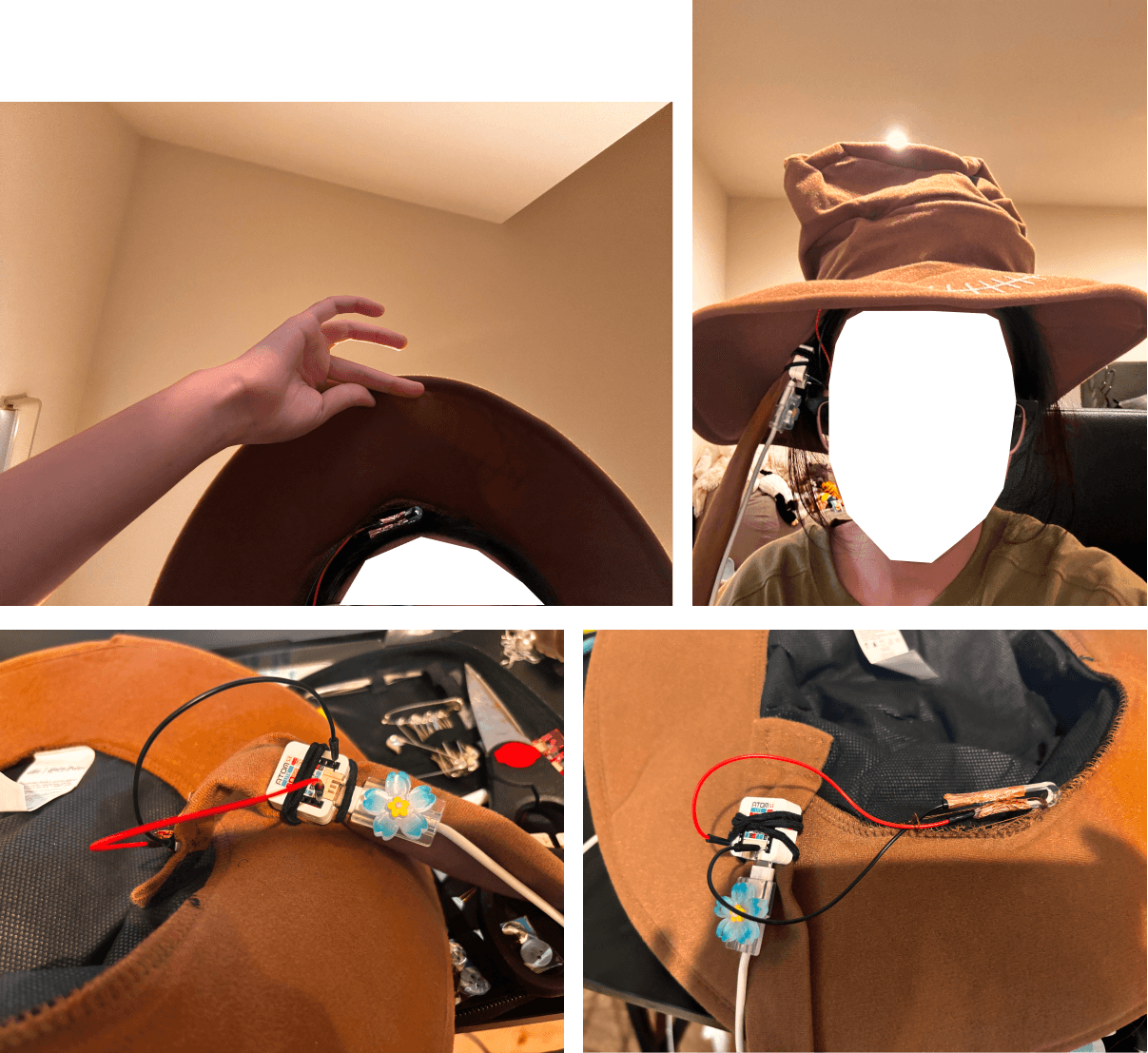
Then I had to decide where to put the copper. But because the hat was so soft, the first and second places I tried were both a clip on the brim, and after putting the hat back on, the two copper overlapped due to the pressure. Unfortunately, because the hat was so soft, the chances of success were not high. I then decided to sew the copper to the brim of the hat, then sew a piece of fabric on, and then sew a copper on the inside. When the person puts on the hat and their head pushes up, the two copper can meet and connect the circuit.

Here is the list of all the separate hardware components used in Hogwarts House Sorting Hat
ATOM Lite: The core of the project, it controls the input/output and runs the program. It reads the circuit's state and controls the LEDs.
Extention of ATOM: In order to additional input/output ports and enhancing connectivity options.
RGB light stripe: Represent the Hogwarts houses with different colors (red, blue, yellow, and green). They are connected to G2 and provide visual feedback during the sorting process.
Copper with wire: Act as sensors. When they touch, they close the circuit, triggering the sorting sequence.
How my interactive prototype should behave
diagram that represents how my interactive prototype should behave
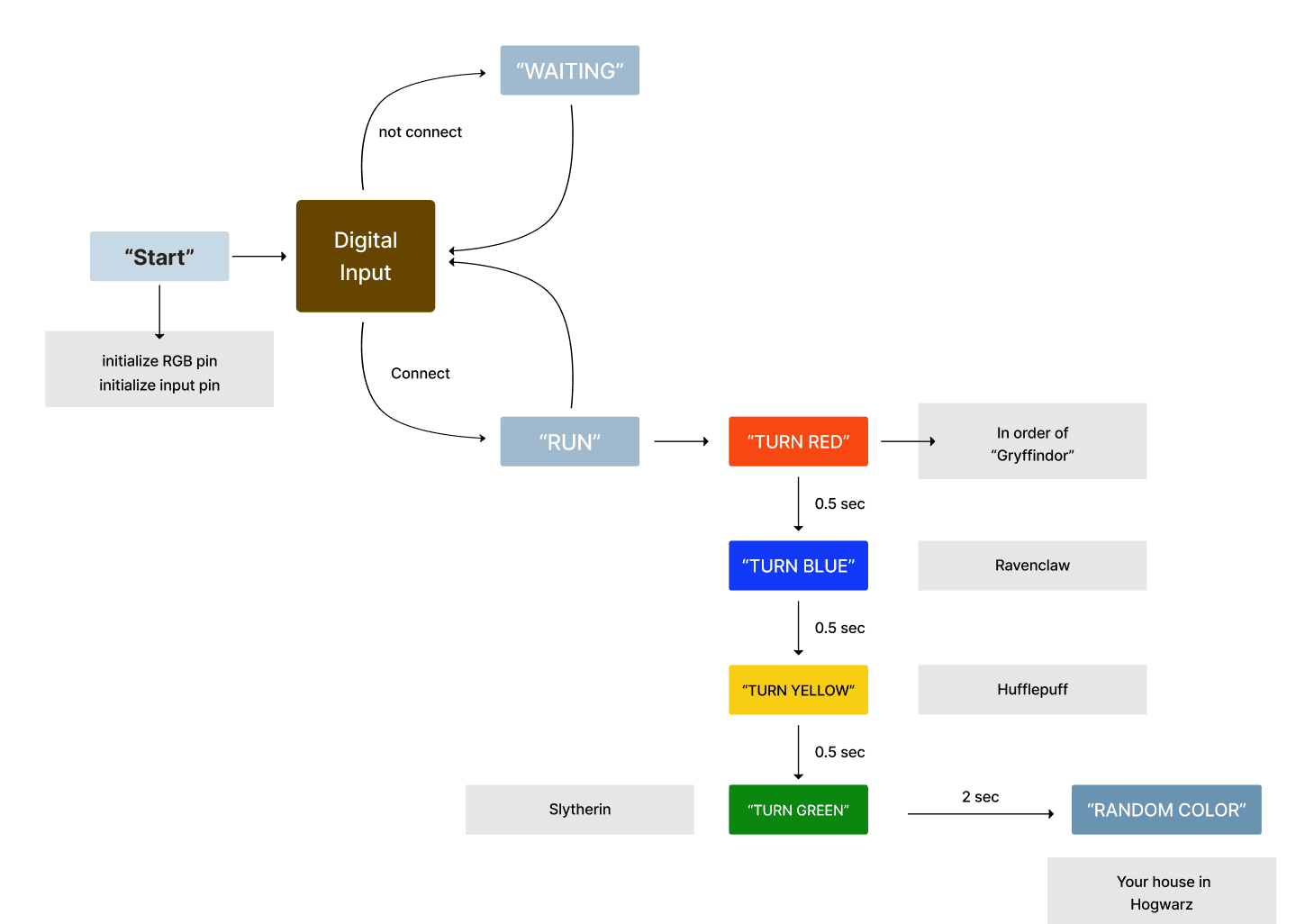
Allow me explain the inputs/outputs used in my code and how they affect the behavior of the prototype.
Library Imports: These libraries handle system functions, M5Stack control, hardware interactions, time-based delays, and random number generation.
RGB Setup : Initializes a 30-LED RGB strip connected to Pin G2. The LED strip uses the SK6812 type.
Circuit Connection Initialization : Sets Pin G6 (GPIO Pin 1) as an input with an internal pull-up resistor. This pin detects the circuit's state (closed or open), i.e., whether the copper plates are touching.
House Color and Name Dictionaries : These dictionaries map each house to an RGB color and house name. The first dictionary assigns RGB values to each house (e.g., red for Gryffindor), and the second assigns their names.
RGB Color Function : This function converts the individual red, green, and blue color values into a single integer (rgb_color) that can be used to set the LED color.
Flash Lights Function : This function cycles through the four house colors—red, blue, yellow, and green—flashing each color for 0.5 seconds. The loop repeats this process three times.
House Selection Function : This function randomly selects a house (using random.randint(1, 4)), retrieves the corresponding color and house name, sets the RGB LEDs to that color, and prints the house name.
Main Loop : In the main loop, the code constantly checks if the circuit is completed (i.e., if the copper plates are touching). Once the circuit is complete (circuit_pin.value() == False), it triggers the flashing lights, selects a house, and breaks the loop after running one cycle. The program ends after announcing the selected house.
And here is my code link: https://github.com/Letaaa-00/ADV-256-Project/blob/main/Hogwarts_House_Sorting_Hat%20/main.py
date
2 weeks
reading time
5 min